Are Multiview and Kaster View the same product?
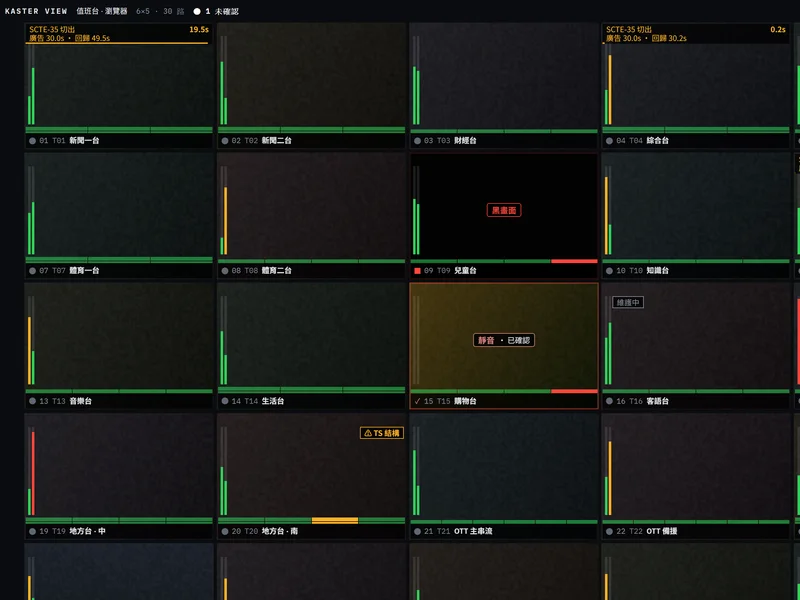
Yes. Point Media Tech's multiviewer was updated and renamed Kaster View; the URL and enquiry channels are unchanged. "Multiview" is the generic name for this kind of product, a broadcast multiviewer. This version composites on the server and displays in the browser, and adds the alarm queue, one-click responses and alarm replay.
How does a web multiviewer differ from a hardware multiviewer?
A hardware multiviewer is a chassis fed from an SDI router and wired to physical displays, so every new seat needs another set of hardware and cabling. A web multiviewer decodes and composites on a server GPU and delivers the wall to a browser over WebRTC, so a new seat is another browser tab. Kaster View also puts detection, alarm handling, response and replay on the same screen, about 130 ms from source to browser display (9 channels measured on the development host).
How many displays does the wall need? Can I watch on a laptop?
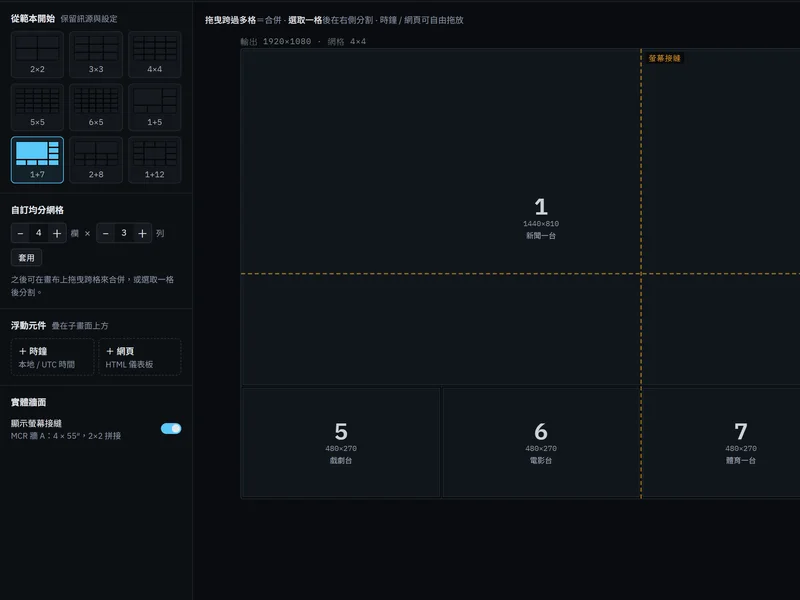
No dedicated displays are needed. Any computer with Chrome or Edge opens the console, laptops included. Multi-screen desks can tear modules off into their own windows; a wall display needs one computer that boots straight into full-wall mode with a device credential, with no personal login. The design target is up to 10 browsers watching at the same time.
How many feeds can one Kaster View system monitor?
The count is set by the media node's GPU, not by a fixed licence tier. The design targets are up to 64 tiles per wall at 4K output and 100 monitored channels per site. On the development host, 9 channels of 1080p30 ran for 1 hour without losing a frame. Production capacity is measured on the candidate server during evaluation, and Point Media Tech provides the test report.
Which sources does Kaster View ingest? How do SDI feeds get in?
Ingest covers SRT (caller / listener) · MPEG-TS over UDP / RTP · HLS · DASH. SRT and MPEG-TS sources can carry a primary and a backup address with automatic failover. SDI and HDMI feeds enter through an encoder as SRT or MPEG-TS, which Point Media Tech's Broadcast Encoder provides. NDI and SMPTE ST 2110 are not ingested directly at this time.
What is the alarm queue, and how is it different from an alarm list?
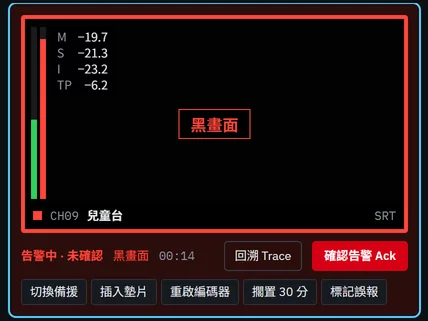
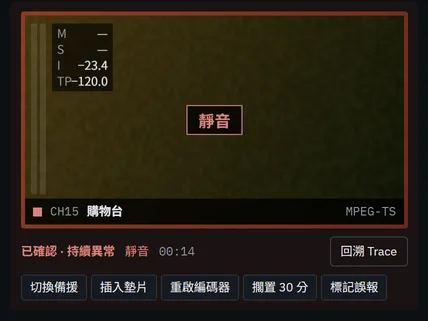
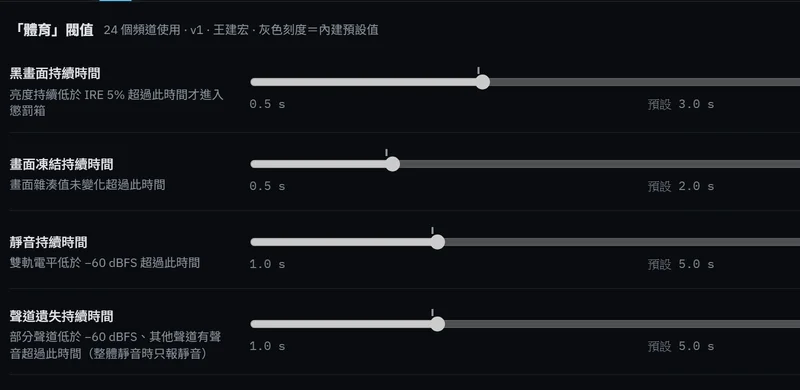
The alarm queue is the working area on the right of the console, labelled "penalty box" in the UI after control-room usage. A detected fault first enters debounce; only when it persists past the configured seconds does it become an alarm and ring. The operator acknowledges it on the card (undo within 5 seconds), shelves it, switches to backup, inserts a slate or restarts the encoder, and the card leaves on its own once the signal recovers and the watch period ends. Faults on several channels from one upstream merge into a single incident with one acknowledgement.
How do Kaster View and Live QC Monitoring divide the work?
Kaster View is the operator's real-time desk: watch the wall, receive alarms, act on the card, replay the evidence, all in the browser. Live QC Monitoring is the per-channel measurement and compliance layer: long-term loudness, caption and signal-quality measurement, and reports for regulators and advertisers. They deploy independently or watch the same channels together.
What hardware does it need, and how is it deployed?
Kaster View installs on-premises as containers. Kaster Core, the control plane, runs on an x86 server; the media node is an x86 server with an NVIDIA data-centre or professional GPU. The two can share one host or be separated. An offline installer is included, so the machine room needs no internet access. Operators and wall displays need only Chrome or Edge, with no client software.
Does Kaster View integrate with existing alerting and monitoring?
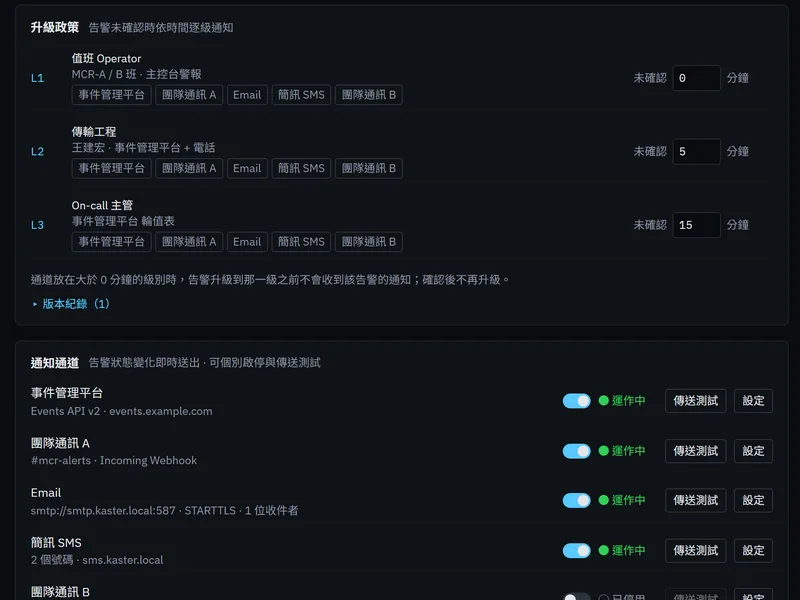
Yes. Alarms and events go out to Webhook (HMAC-signed) · SNMP Trap with MIB · TSL UMD / Tally v3.1–v5.0 · Prometheus / Grafana · Incident-management platforms · team chat · email · SMS · WebSocket event stream and API keys. Backup switching, slate insertion and encoder restarts drive field devices over NMOS IS-05, mainstream router and slate control protocols, SNMP and REST. Every operation and configuration change is written to an append-only, hash-chained audit log that exports to CSV.
Related: Live QC Monitoring, Broadcast Encoder; glossary: Multiviewer, SRT.